
For iPhone
GearProof: Equipment Checkout
Scan Gear. Prove Returns.
Track camera kits from checkout to return. Record missing accessories and damage on one iPhone, for small video and media teams.
Records stay on this iPhone. Export a backup before moving devices; no automatic cloud sync.
Available on the US App Store
7-day full trial · $19.99 lifetime · No subscription
Free download · iOS 18 or later. Link opens the US store. Availability and local prices depend on your Apple account region.
Watch the camera kit demo · Free camera checkout sheet
See it in action
Real App screens captured on an iOS 18 simulator, October 30, 2026. Fictional records.
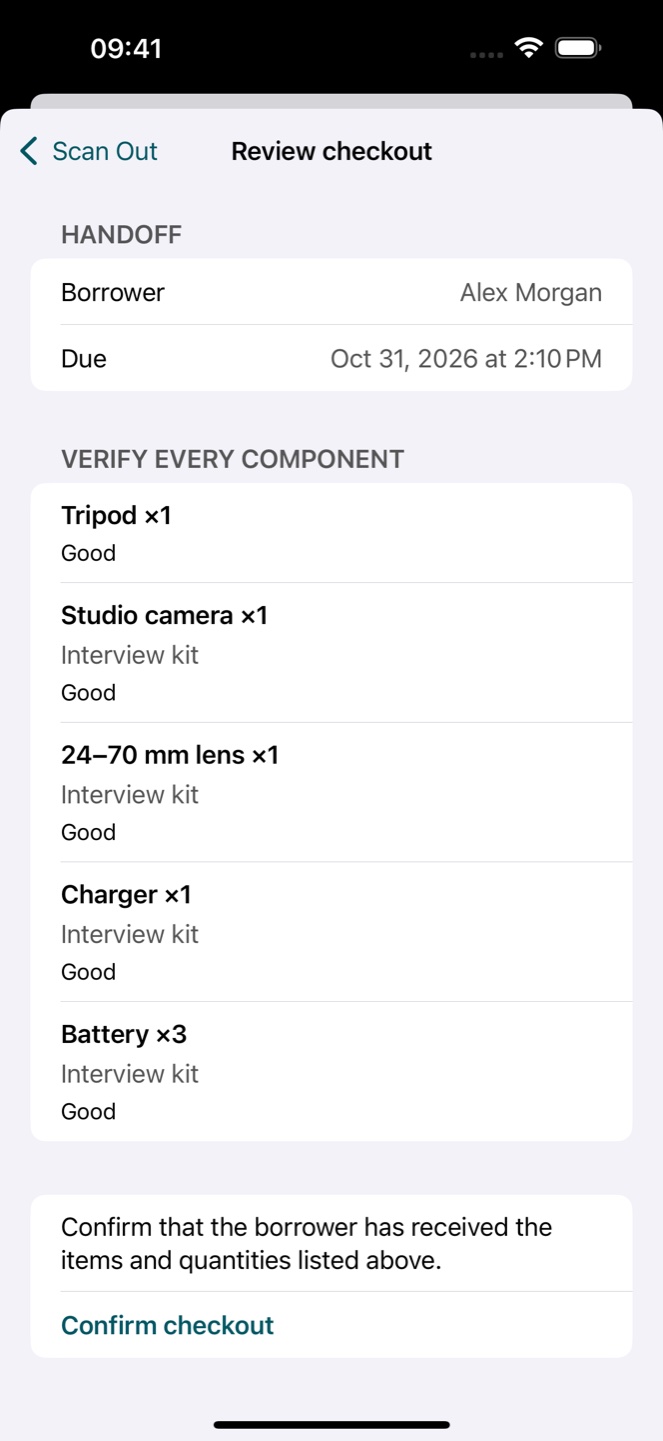
One handoff. Every item accounted for.
The camera is back. Is every battery back too? Compare the returned kit with the original handoff, keep missing items outstanding and record damage separately.
Set up your gear.
Add gear, saved kits and accessories. Link existing QR or barcode labels, or share and print generated QR codes.
Record one handoff.
Scan or select multiple items and kits, choose a borrower and due date, then confirm with one optional signature.
Reconcile the return.
Compare checkout condition with returned gear. Record missing or damaged items and export an Incident Record when needed.
See it in action
Real App screens captured on an iOS 18 simulator, October 30, 2026. Fictional records.
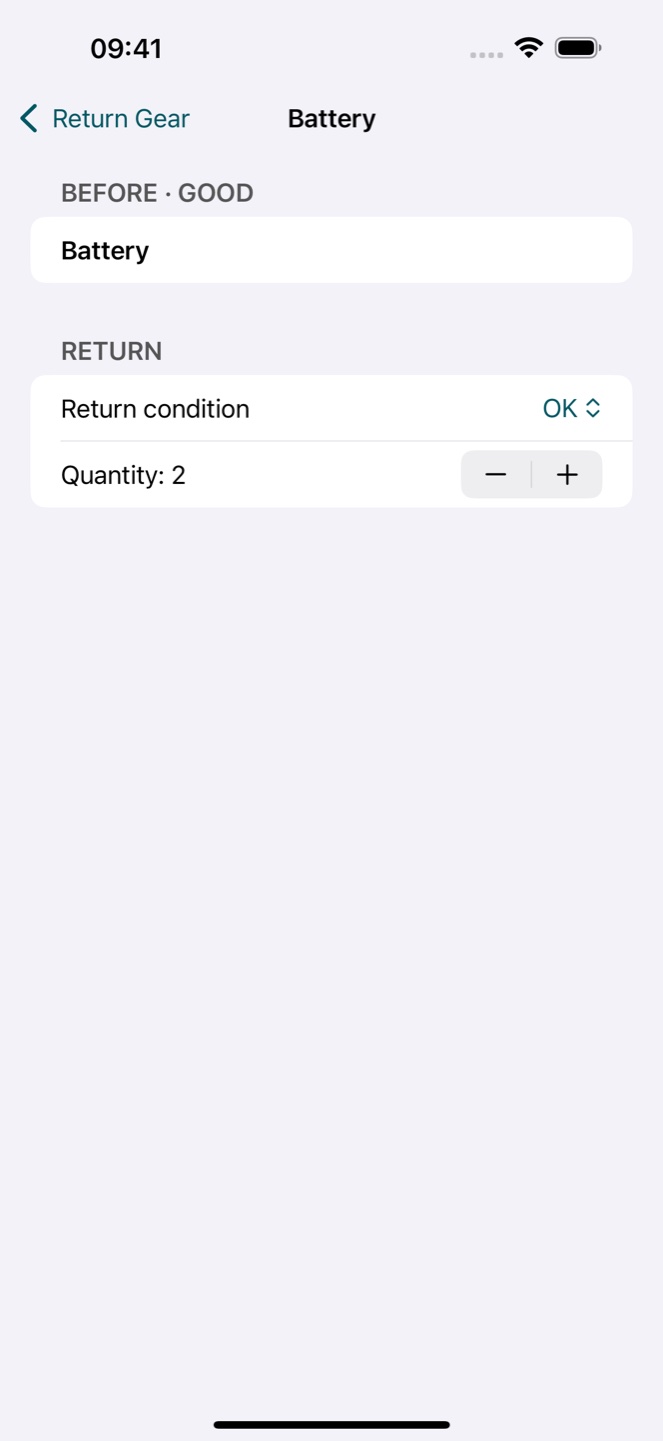
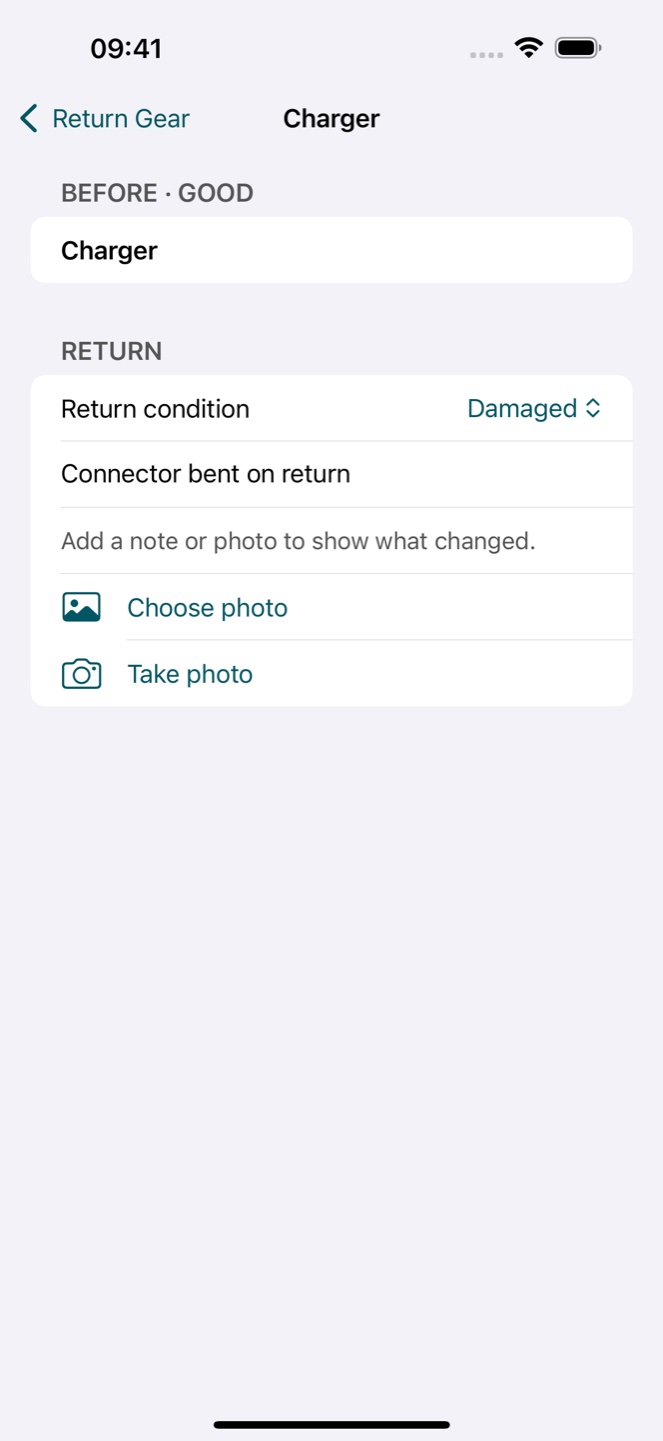
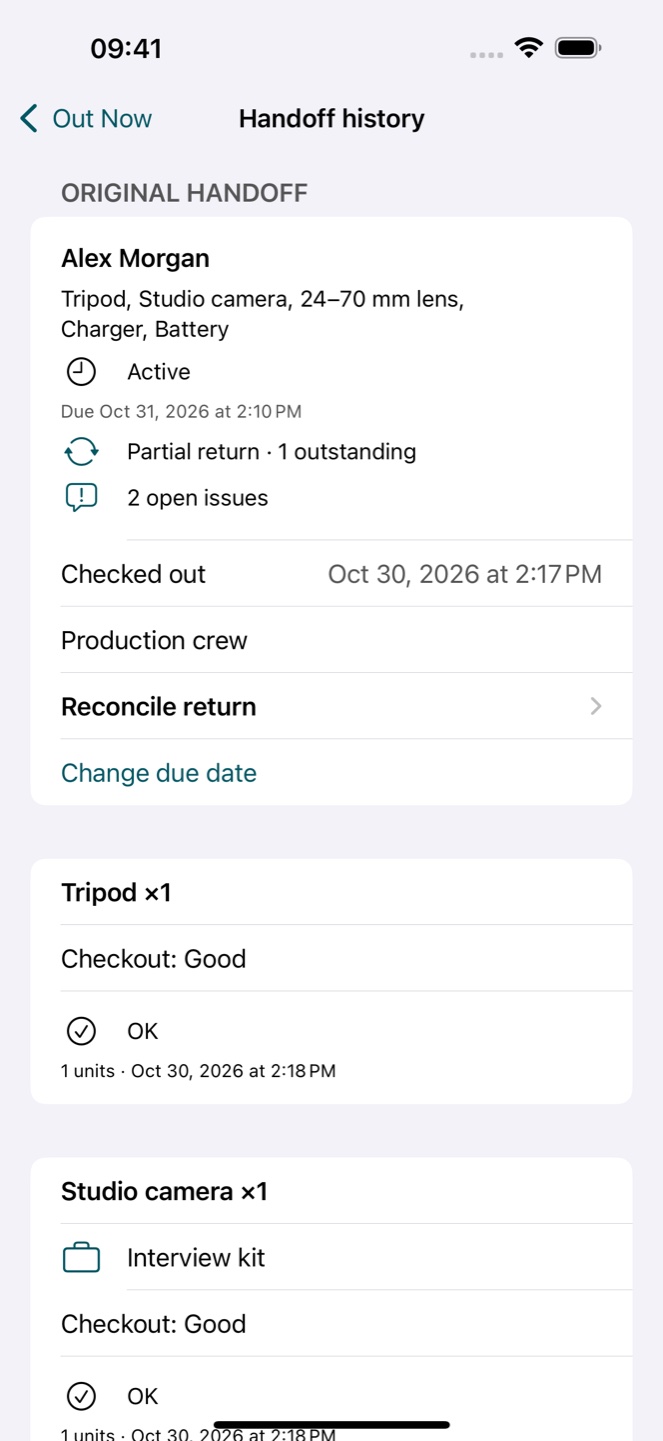
The camera is back. One battery is not.
Follow one interview kit from checkout to return: count the batteries, record a damaged charger and keep the missing item outstanding.
Recorded in GearProof 1.0.0 (1) on an iOS 18 simulator, October 30, 2026. Fictional records; silent, edited demonstration. The App interface is English.
Watch with the full text walkthrough · Download the video · Get the free return checklist
Main features
- Mixed items and kits in one checkout
- Partial returns and missing or damaged items
- Condition photos and optional signatures
- Local reminders, history, PDF, CSV and full backups
Is it right for you?
No account, subscription, ads, team sync or reservation calendar. Designed for one coordinator and one primary checkout iPhone.
Choose it for local equipment handoffs, partial returns and condition records. If automatic synchronization across team phones is required, this local-only workflow is not a fit.
Pricing
Try the full app free for 7 days, then unlock lifetime access with a $19.99 one-time purchase. No subscription, ads or gear quotas.
Your trial starts on first launch and is recorded locally. It does not charge automatically. Purchases and restoring purchases require the App Store. Existing returns, history and exports remain available after the trial.
Prices shown in USD. The App Store displays the applicable local price before purchase.
Export and backup
Export history CSV in Settings, or an Incident Record PDF from a handoff. Full JSON backups include photos, signatures and drafts; CSV and PDF are not restorable backups.
In Settings, choose Create full backup and save the JSON outside the app. Restore from backup validates the file, asks before replacing records and keeps a local pre-restore recovery copy. Trial and purchase access are separate from backups.
Common questions
What is GearProof, and who is it for?
GearProof: Equipment Checkout is an iPhone app by Hailink Labs for one coordinator managing shared camera kits and other equipment. It keeps borrowers, due dates, partial returns and condition records together on one primary iPhone.
Can GearProof track a partially returned camera kit?
Yes. Reconcile returned quantities against the original handoff. If three batteries left and only two return, record two returned and keep one outstanding. Record a damaged charger separately so damage does not hide a missing item. The demonstration uses fictional records.
Is GearProof a subscription? What happens after the trial?
No subscription. The full trial lasts seven days from first launch. Lifetime access is a one-time $19.99 purchase in the US; check your local App Store price. After the trial, existing returns, history and exports remain available. Adding or editing gear and starting new handoffs requires lifetime access.
Does GearProof automatically sync across team phones?
No. GearProof stores records on one primary iPhone and provides no automatic cloud or team synchronization. It is not a fit if several people need to edit a live shared inventory from different phones. Sharing a PDF or CSV, or restoring a backup, is not live synchronization.
Which iPhone and languages does GearProof support?
The current App Store version requires iOS 18 or later and its interface is English. This website offers English and Simplified Chinese explanations; that does not mean the app has a Chinese interface. Purchases and restoring purchases require an App Store connection.
Can I work offline? Do I need an account or cloud sync?
No account is required. Gear, kits, borrowers, history, photos, signatures and drafts are stored locally on your iPhone. Core handoffs and exports work offline. GearProof has no backend or automatic cloud sync.
How do I back up or move to another iPhone?
In Settings, choose Create full backup and save the JSON outside the app. Restore from backup validates the file, asks before replacing records and keeps a local pre-restore recovery copy. Trial and purchase access are separate from backups.
Product information
Product facts checked against the public US App Store listing: 2026-10-30. Official App Store listing
Ready to try it?
7-day full trial · $19.99 lifetime · No subscription
Free download · iOS 18 or later. Link opens the US store. Availability and local prices depend on your Apple account region.