
For iPhone
TMProof: T&M Tickets
Extra Work. Signed On Site.
Record extra work, labor, materials, equipment, photos and on-site acknowledgment for small contractors and subcontractors.
Keep T&M tickets, photos and signatures on your device. Export a backup before moving phones.
Available on the US App Store
7-day full trial · $9.99 lifetime · No subscription
Free download · iOS 18 or later. Link opens the US store. Availability and local prices depend on your Apple account region.
Choose a record format · Free worksheet · App questions

See it in action
Actual app screens from existing store submission assets. Example records shown.
Document extra work before it becomes a dispute.
Extra work is harder to explain after everyone has left the site. Keep the work and its evidence together while the details are fresh.
Open a project.
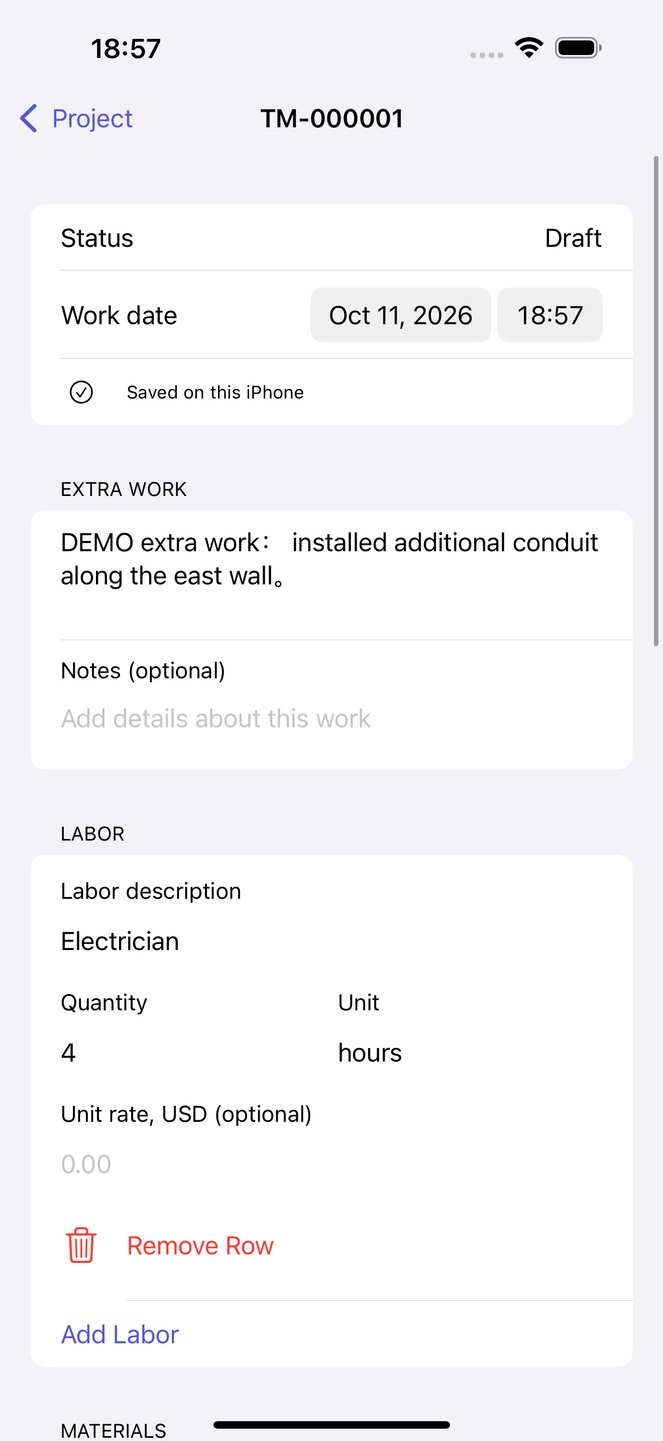
Create a T&M ticket and describe the extra work.
Record the details.
Add labor, materials, equipment, notes and photos you choose.
Sign and share.
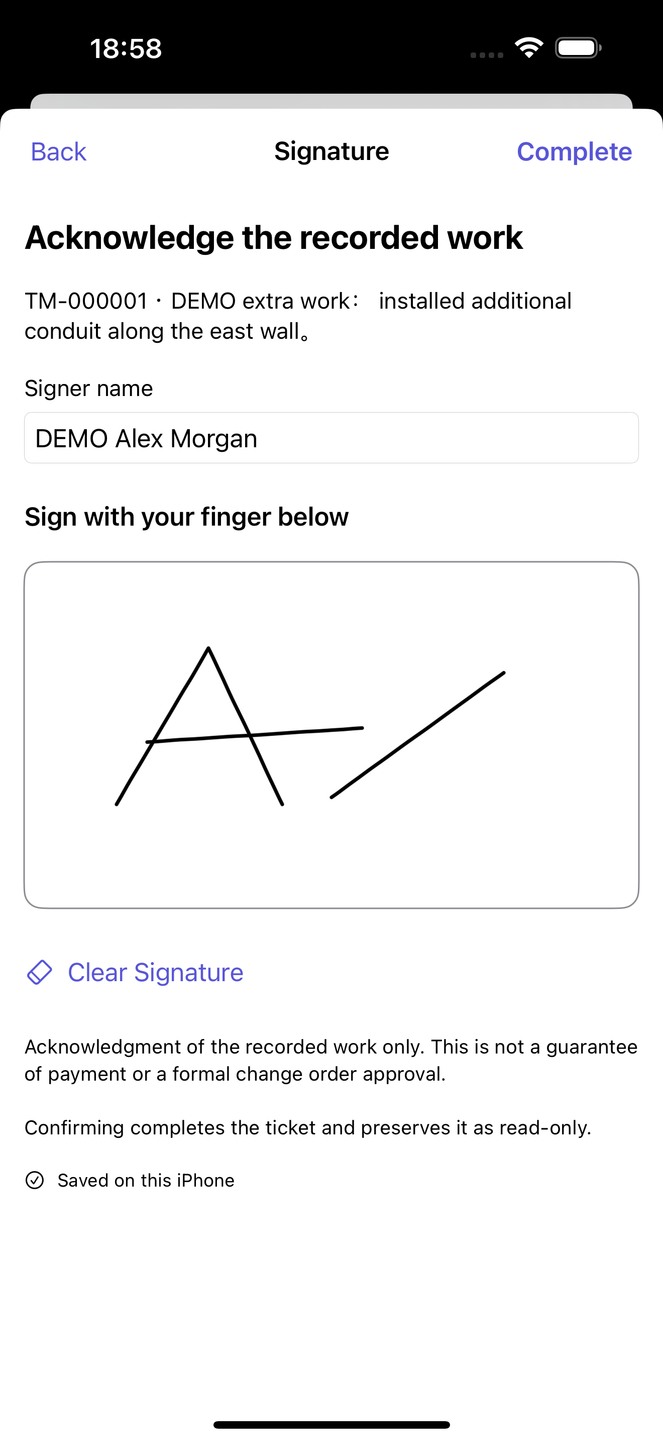
Capture on-site acknowledgment, complete the ticket and save or share a PDF.
See it in action
Actual app screens from existing store submission assets. Example records shown.
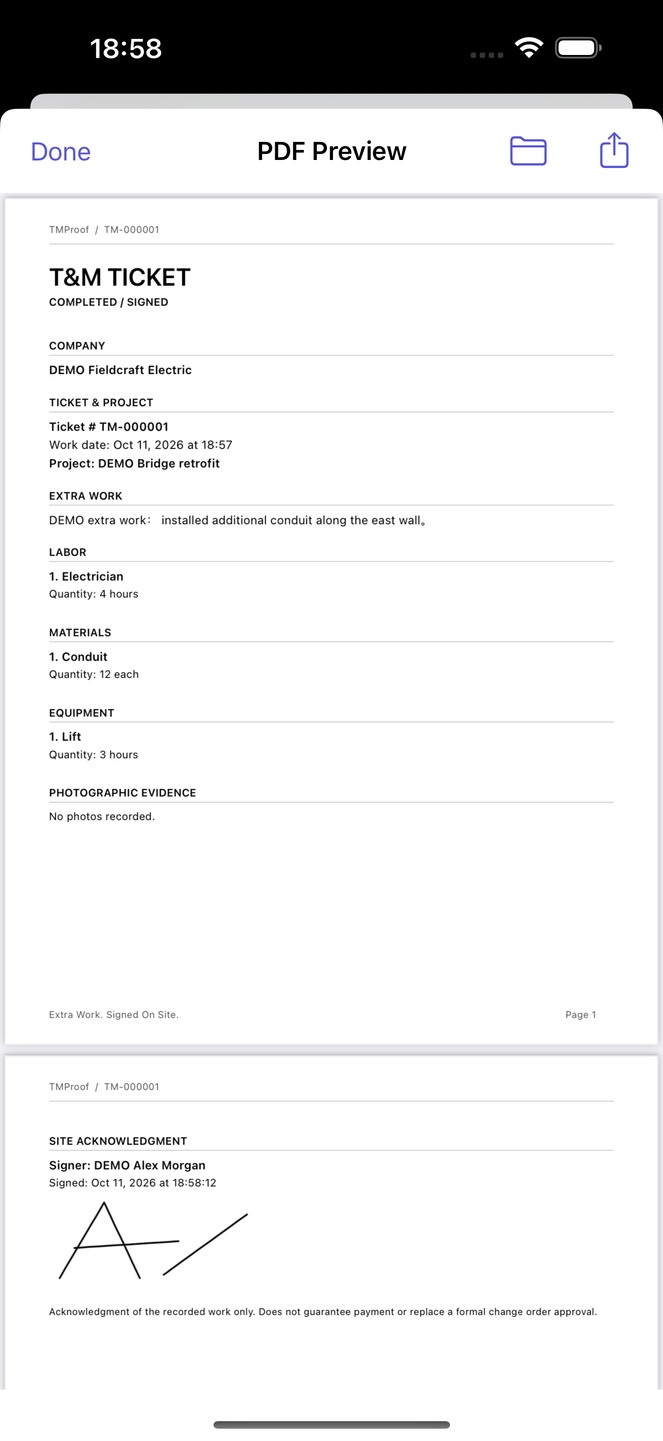
A real App export, using DEMO records
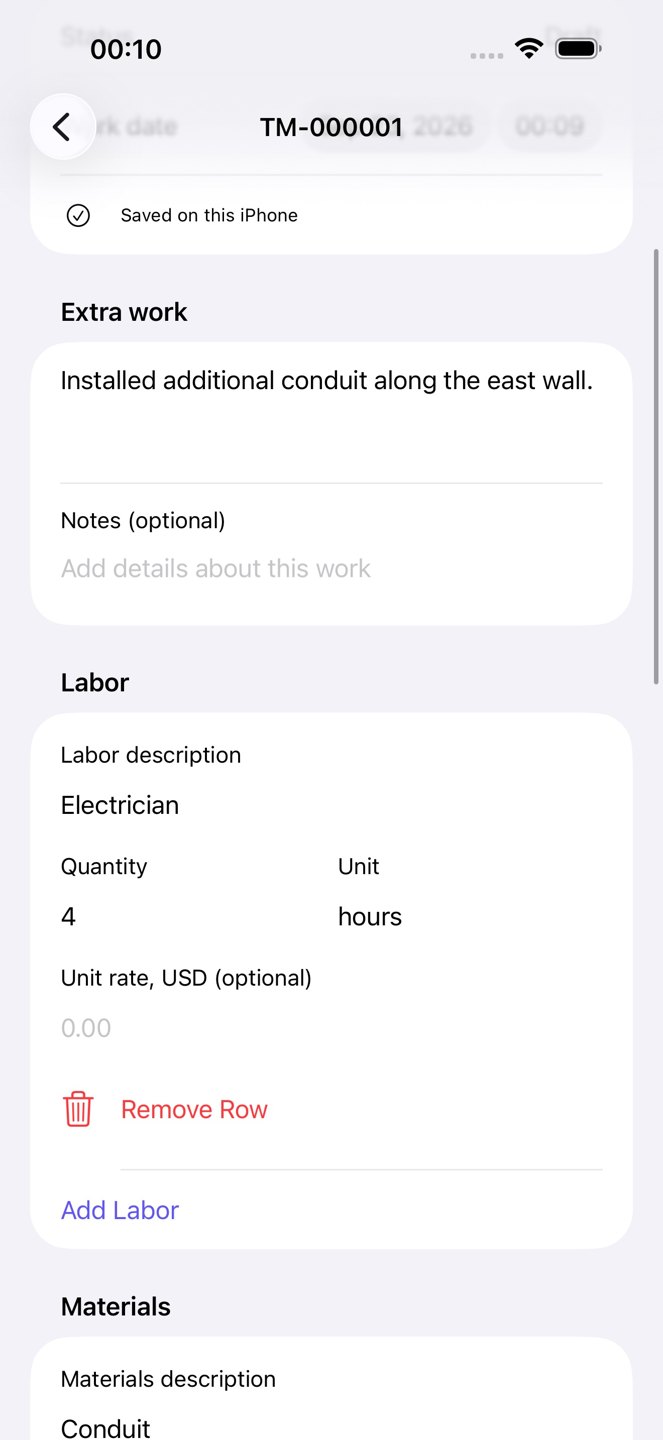
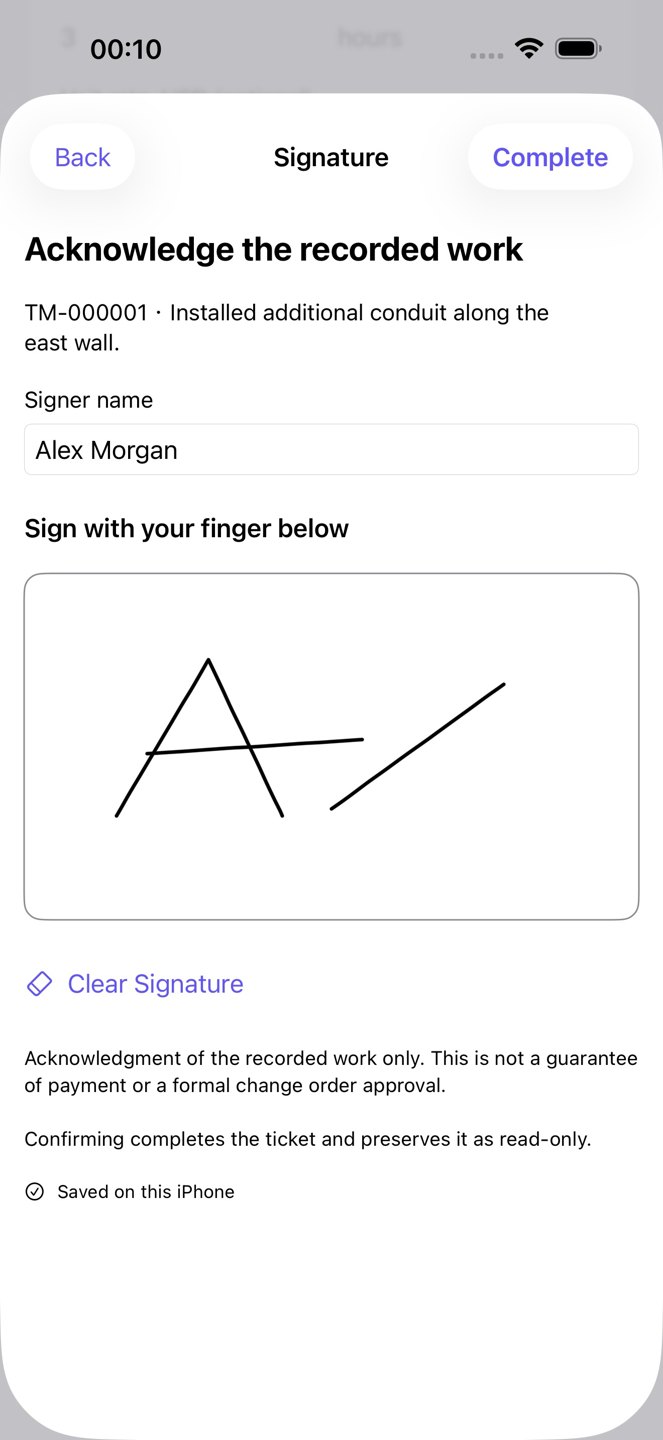
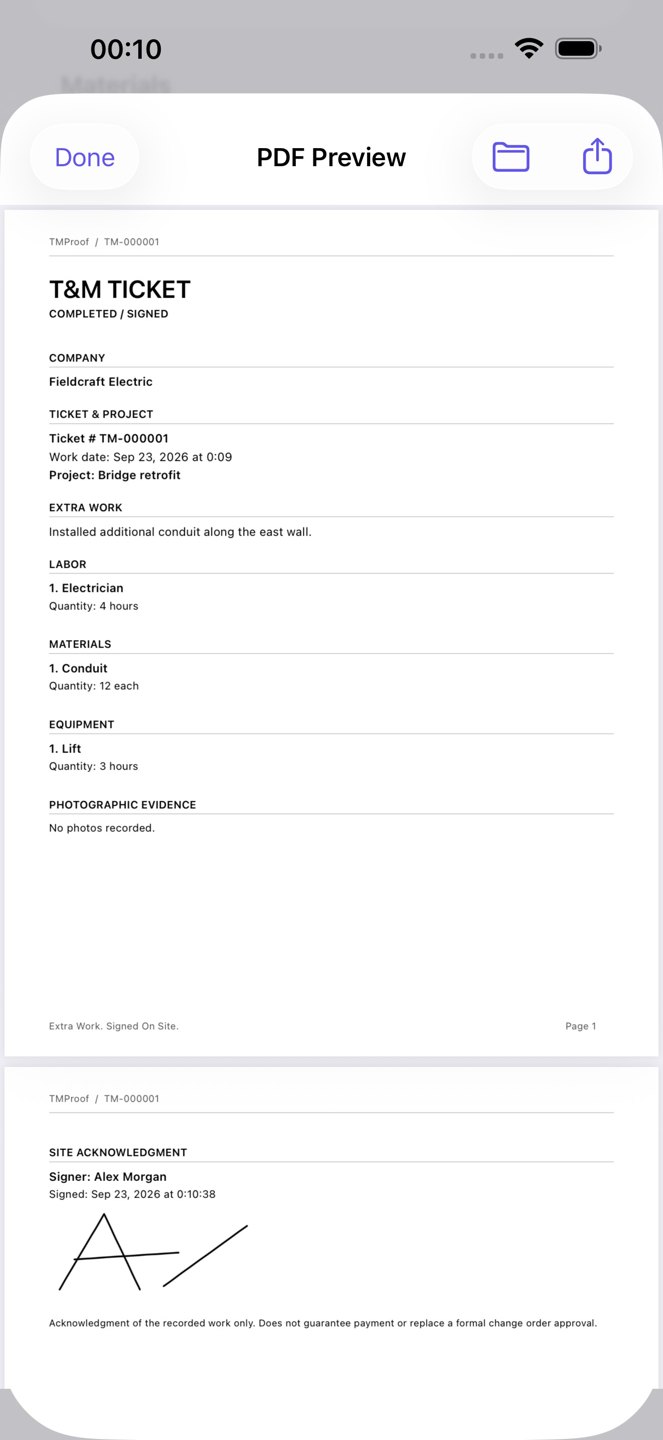
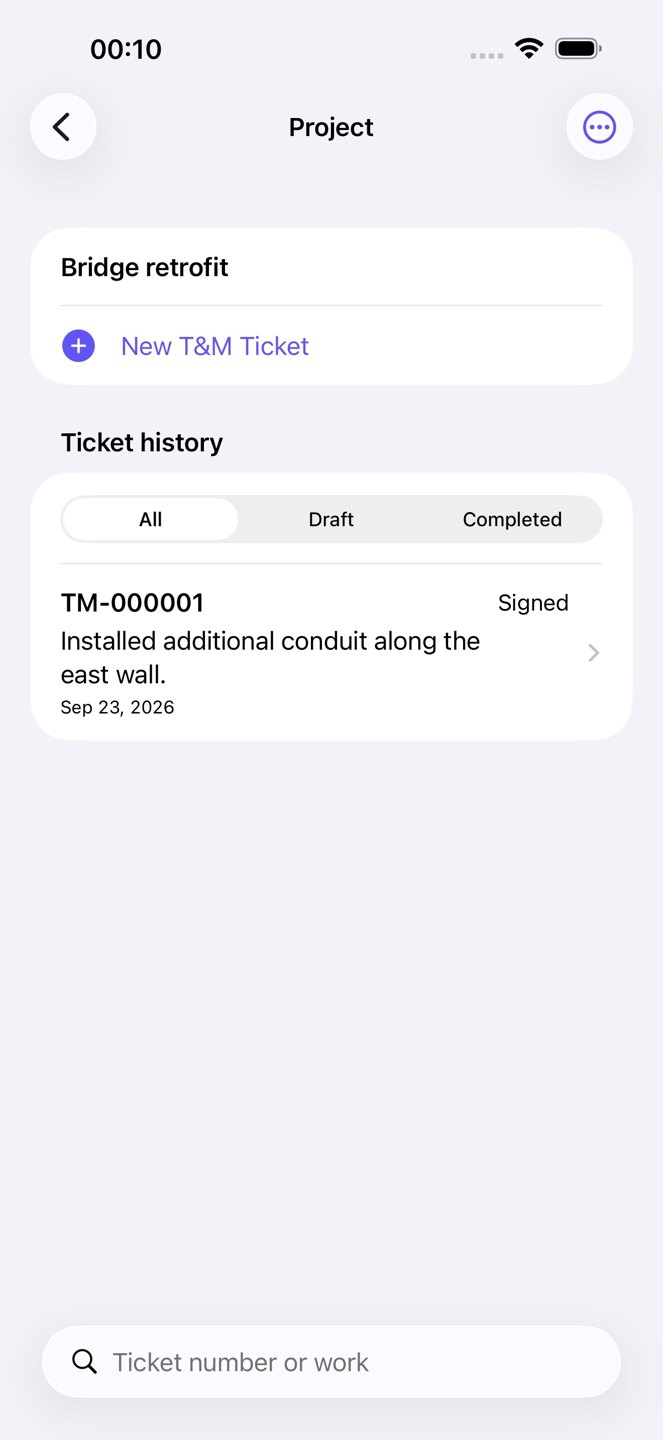
DEMO Fieldcraft Electric records extra conduit work for DEMO Bridge retrofit in TM-000001: an electrician for 4 hours, 12 conduit units and a lift for 3 hours. DEMO Alex Morgan signs the same ticket. TMProof then generates the two-page PDF linked below.
Captured October 11, 2026 in the English App on an iOS 18 simulator: TMProof 1.0.0 (2). Test access was enabled locally. These are fictional records, not a real purchase, job approval or physical material test. The download is the unchanged App-generated file; the free worksheet is separate.
Download App-generated PDF · 2 pages
Main features
- Project and ticket history
- Labor, material and equipment entries
- Camera or selected photos and drawn signatures
- Printable PDFs and full local backups
Is it right for you?
Keep evidence close to the work. Completed tickets preserve their original details. A signature records acknowledgment; it does not guarantee payment or replace a formal change order.
Choose it to document extra work and itemized labor, materials and equipment. A signed acknowledgment is not a payment guarantee or a replacement for a formal change order.
Pricing
Free download. Try the full app free for 7 days, then unlock it with a $9.99 one-time purchase. No subscription, no ads, no ticket limits and no separate charges for core features.
The trial starts when you choose it and confirm with the App Store. It does not charge automatically. After expiry, new projects and tickets require unlock; existing drafts can still be edited, signed and completed. History, PDFs, backups and recovery remain accessible. Activation, purchases and restoring purchases require the App Store.
Prices shown in USD. The App Store displays the applicable local price before purchase.
Export and backup
Open a ticket’s PDF preview, then save or share the PDF. Full backups also include records, photos, signatures and saved PDFs. A shared PDF is a document copy, not a full backup.
In Settings, open Backup & Restore and export a full backup to Files. Restore requires an empty project and ticket library and validates the backup before importing it. Keep your exported backup before deleting or replacing a device.
Common questions
What is TMProof used for on a jobsite?
TMProof records extra work in time-and-materials tickets: project, work description, labor, materials, equipment, notes, photos and acknowledgment. It creates a PDF record; it is not an invoice, accounting system or payment processor.
Can I finish a ticket when nobody can sign?
Yes. A ticket can be completed unsigned, with that status made explicit. If someone signs, record their name and acknowledgment on the same ticket. A signature does not guarantee payment or replace the project’s change-order process.
Can I prepare tickets and PDFs without a signal?
Core ticket work and PDF generation run locally on your iPhone. Activate the trial or restore an existing purchase while online before the job. App Store trial, purchase and purchase restoration require a connection; sharing a PDF depends on the destination you choose.
What happens after TMProof’s seven-day trial?
Creating new projects and tickets requires the one-time Lifetime Unlock after expiry. Existing drafts, records, PDFs, backup and restore remain available. The US reference price is $9.99 once, with no subscription or ticket quota; check your local App Store.
Will a full backup merge into my existing ticket library?
No. TMProof restore requires an empty project and ticket library and checks the backup before import. Save a full backup before moving devices. A shared PDF cannot restore the projects, photos, signatures and other records in the library.
Can several phones edit the same project automatically?
No automatic cloud or team sync is provided. Each iPhone keeps its own library. Share a completed PDF when another person needs a document copy, and keep full backups separately.
Can I work offline? Do I need an account or cloud sync?
Projects, tickets, photos and signatures are stored on your iPhone. No account, automatic cloud sync or Hailink Labs business-data server is used. Core ticket work and PDF generation work offline.
How do I back up or move to another iPhone?
In Settings, open Backup & Restore and export a full backup to Files. Restore requires an empty project and ticket library and validates the backup before importing it. Keep your exported backup before deleting or replacing a device.
After the trial ends, new projects and tickets require unlock. Existing drafts can still be edited, signed and completed; history, PDF, backup and restore remain available.
Product information
Ready to try it?
7-day full trial · $9.99 lifetime · No subscription
Free download · iOS 18 or later. Link opens the US store. Availability and local prices depend on your Apple account region.