
For iPhone
PressRecipe: Heat Press Log
Your heat press test log
An iPhone log for your presses, transfers, blanks, test runs and wash tests. Find proven settings and repeat them with a new test.
Save your tested settings on this iPhone, with optional private iCloud sync. Keep a full backup before moving devices.
Available on the US App Store
7-day full trial · $9.99 lifetime · No subscription
Free download · iOS 18 or later. Link opens the US store. Availability and local prices depend on your Apple account region.
Choose a record format · Free worksheet · App questions
See it in action
Actual app screens from existing store submission assets. Example records shown.
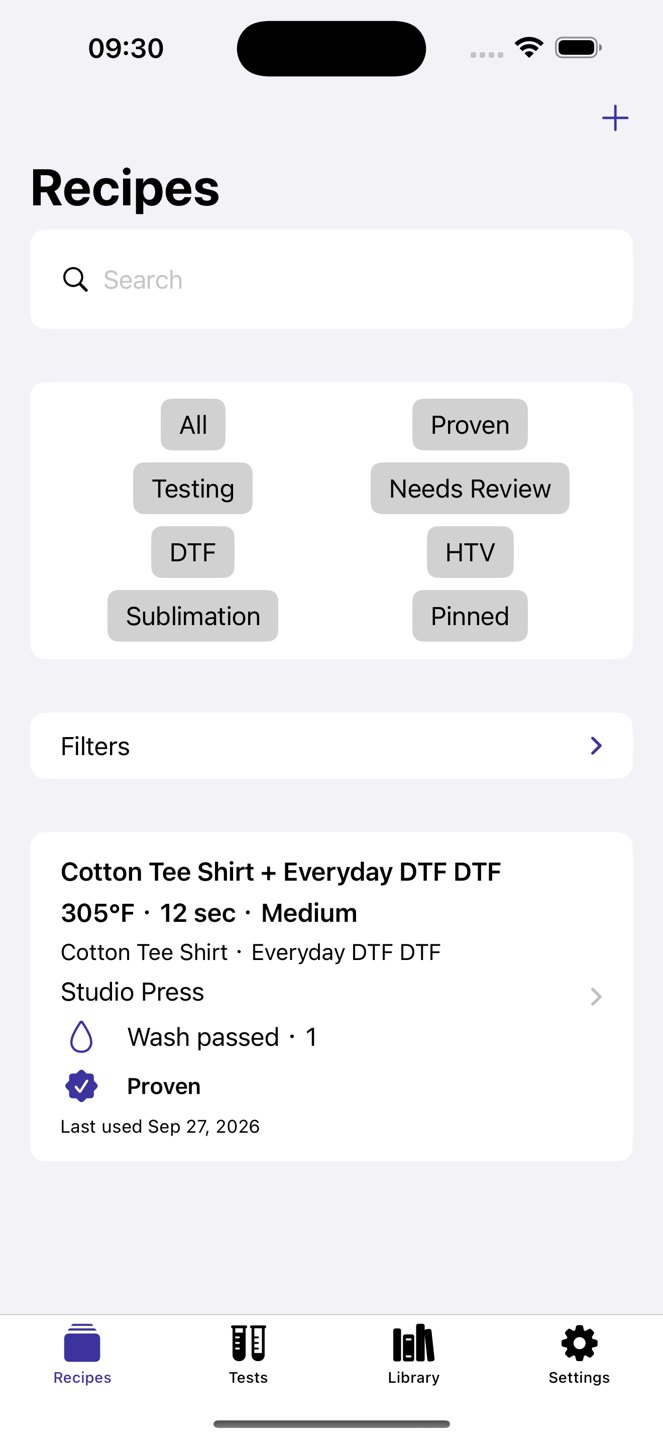
Repeat what worked.
Good results deserve more than a loose note. Keep the settings, materials and actual outcome together.
Add your setup.
Save a press, transfer and blank in Library.
Record a real test.
Enter temperature, time, pressure and peel details, then complete the test with its actual result.
Prove and repeat.
Mark a completed Pass as Proven, add wash tests, and repeat the recipe as a fresh draft.
See it in action
Actual app screens from existing store submission assets. Example records shown.
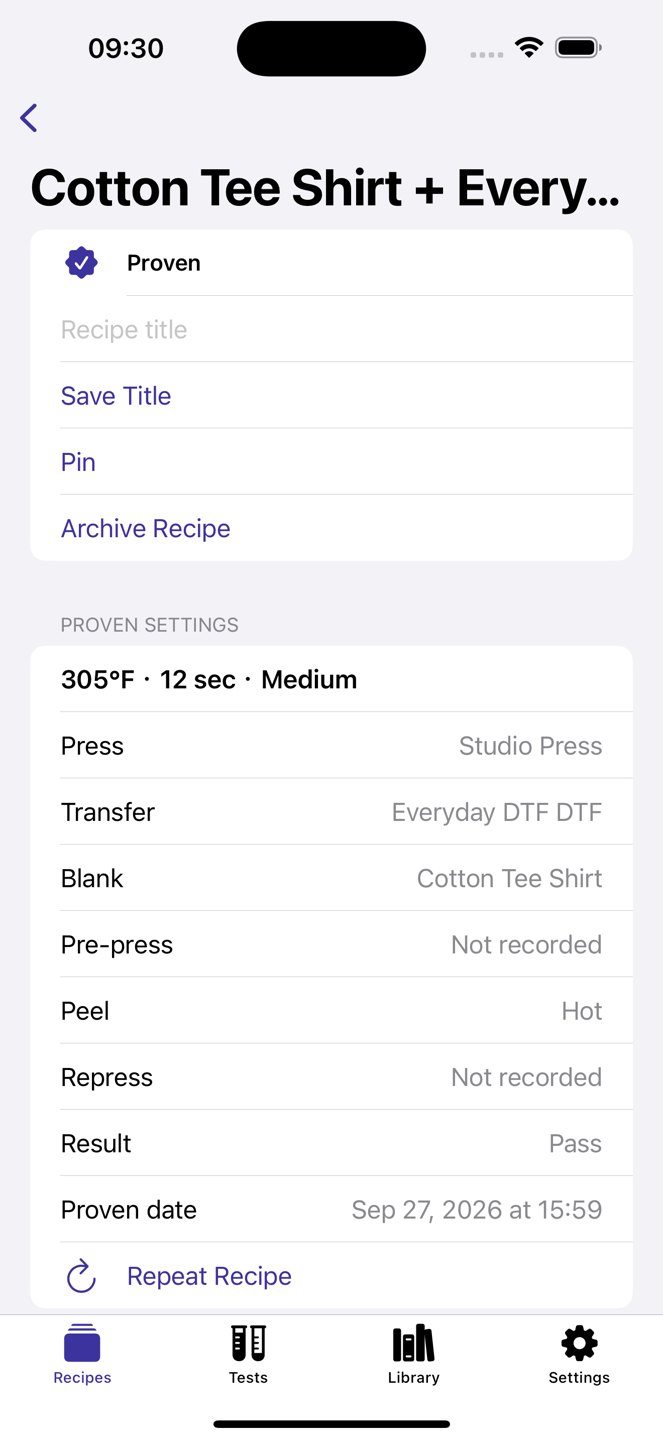
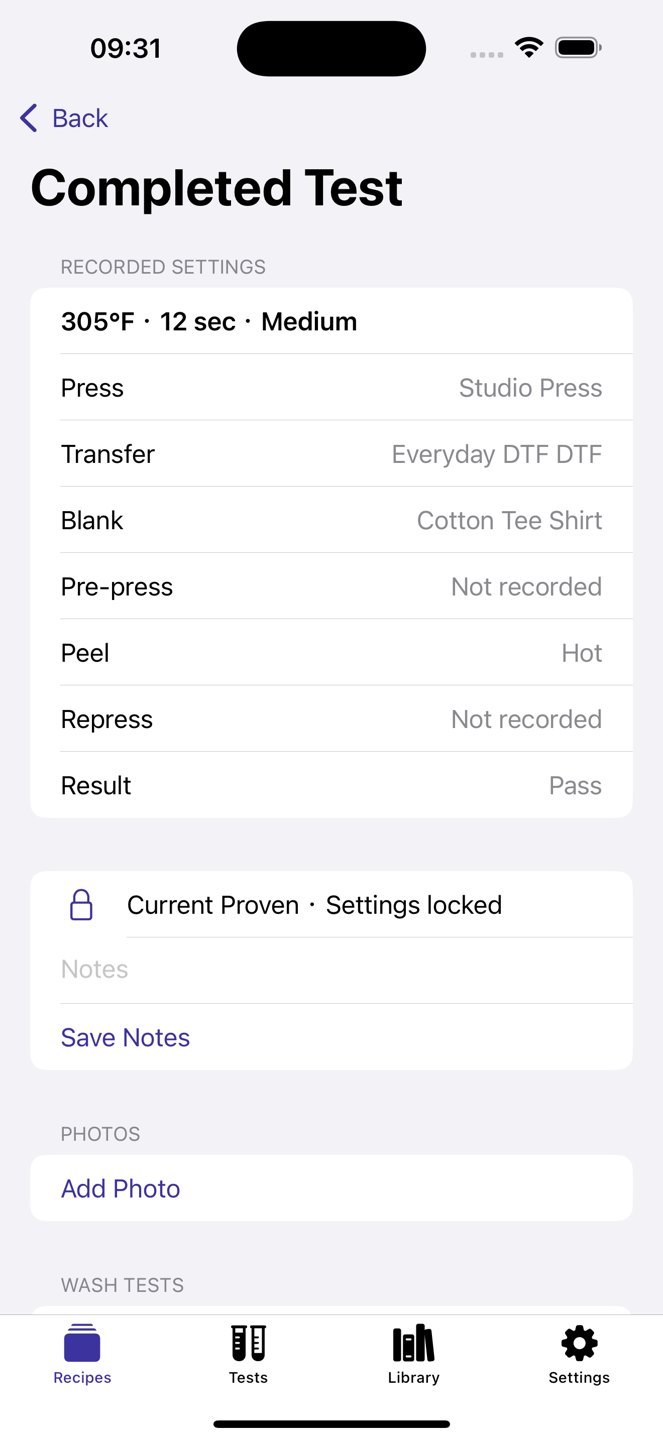
A real App export, using DEMO records
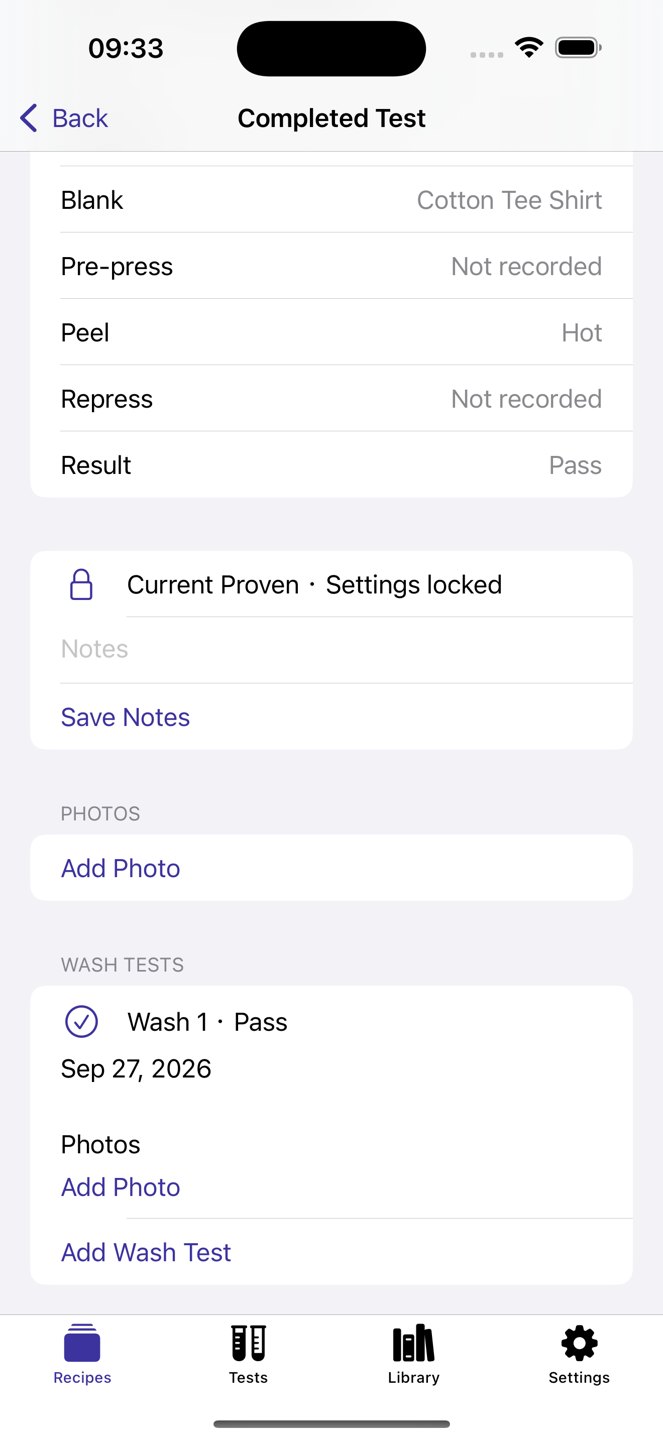
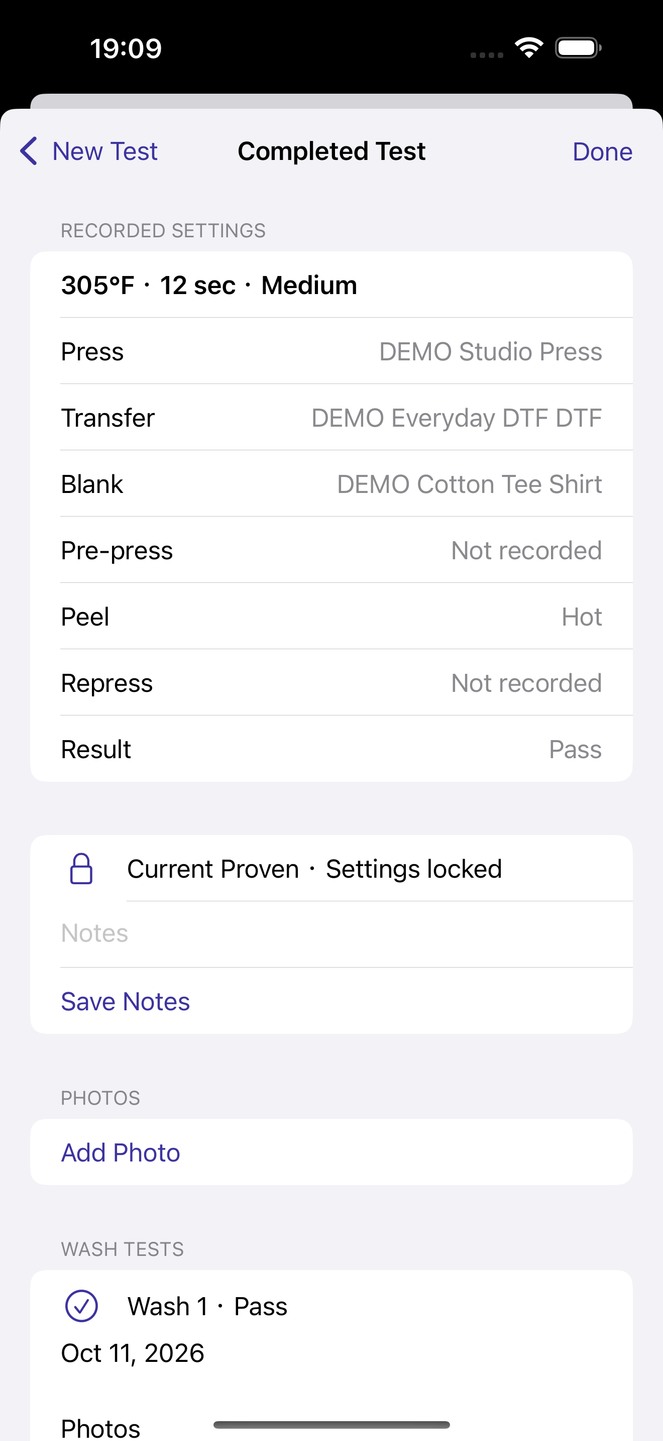
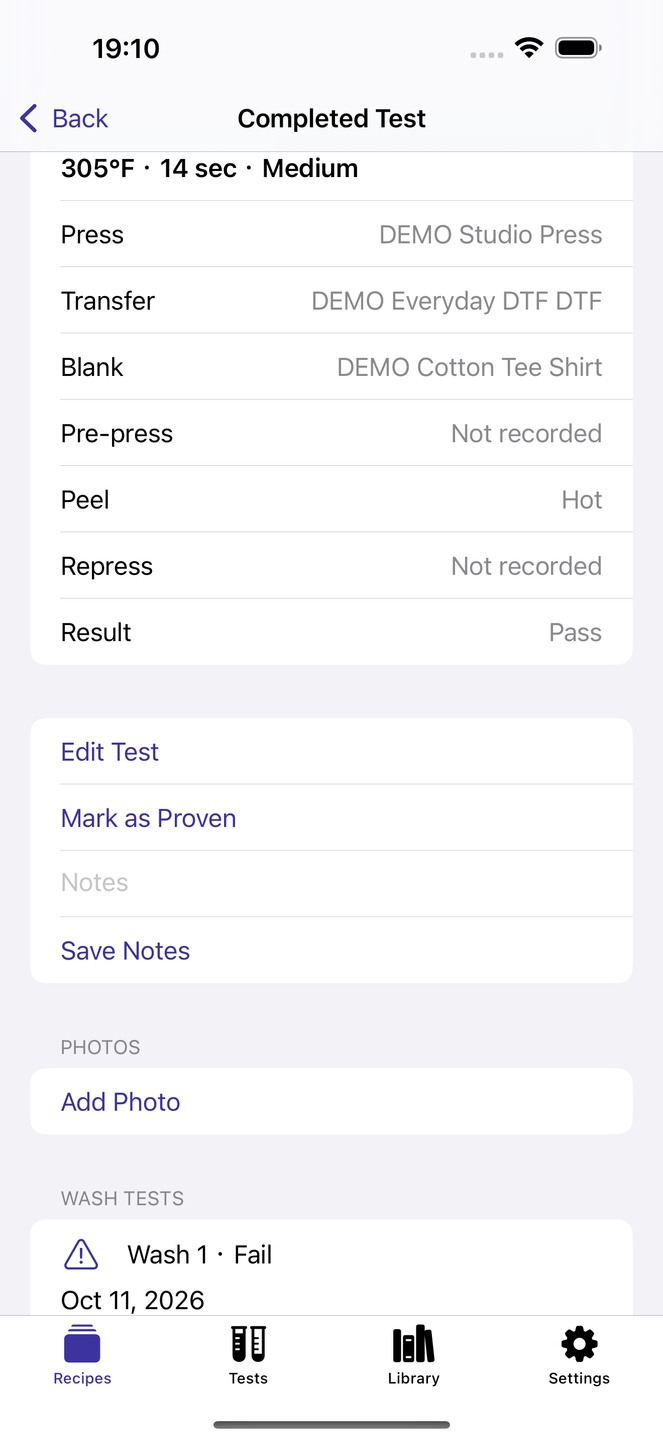
DEMO Cotton Tee and DEMO Everyday DTF use DEMO Studio Press. Test A records 305°F, 12 seconds, Medium pressure and Hot peel, then is marked Proven with Wash 1 Pass. Repeat creates Test B at 14 seconds with the other settings unchanged; Wash 1 Fail is recorded against Test B, so the failed observation remains attached to that repeat. The exported CSV contains both tests and their wash outcomes.
Captured October 11, 2026 in the English App on an iOS 18 simulator: PressRecipe 1.0.0 (3). Test access was enabled locally. These are fictional records, not a real purchase, job approval or physical material test. The download is the unchanged App-generated file; the free worksheet is separate.
Download App-exported CSV · 2 tests
Main features
- Press, transfer and blank libraries
- Keep historical settings when you edit library details
- Proven settings, wash-test history and search
- Optional test photos copied into the app
- CSV export and complete .pressrecipe backups
Is it right for you?
Your own test results are the evidence. PressRecipe does not recommend temperatures or guarantee results. Follow your equipment and material instructions. No account, ads or subscription.
Choose it to record your own tests, sample settings and later wash observations. It does not recommend temperatures or guarantee material safety or results; follow equipment and material instructions.
Pricing
Try everything free for 7 days. Unlock the full app with a $9.99 one-time purchase. No subscription.
The trial starts when you choose it and confirm with the App Store. It does not charge automatically. No ads or usage limits on core features after unlock. Initial activation and purchases require an App Store connection.
Prices shown in USD. The App Store displays the applicable local price before purchase.
Export and backup
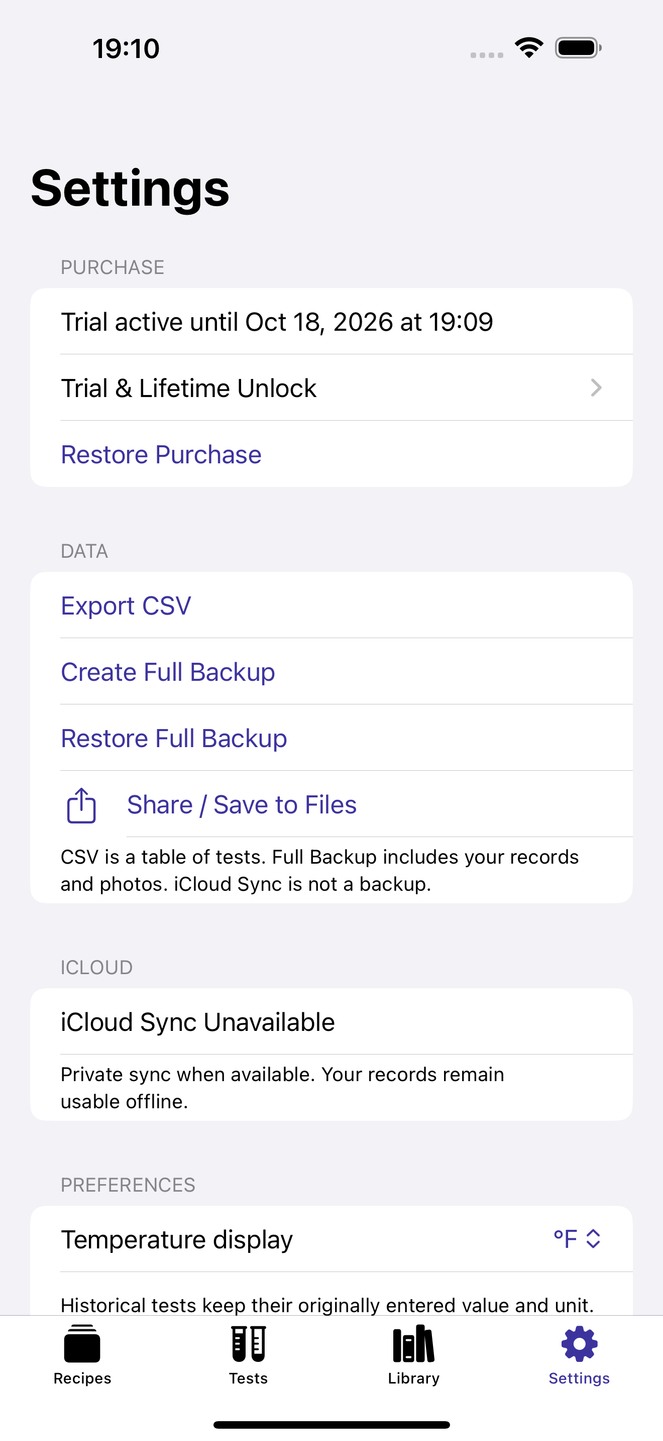
Export CSV in Settings provides test records and settings in a spreadsheet-friendly file. CSV does not include photo files and cannot replace a full backup. Full backups include records, preferences and copied photos.
Choose Create Full Backup in Settings and save the .pressrecipe file outside the app. Restore Full Backup checks that the file, photos and linked records are complete before you confirm replacing all records. A safety backup is created first. Purchase access is excluded. Keep your own external backups; iCloud sync is not a backup history.
Common questions
Does PressRecipe provide recommended DTF, HTV or sublimation settings?
No. It records settings you enter and test on your own press, transfer and blank. Use the applicable manufacturer instructions for a starting point. A saved or Proven recipe is not a manufacturer certification or a guarantee of compatibility.
How do I compare a repeated recipe with the original test?
Use Repeat to create another test from the recorded setup, then record what changed and the new result. Keep the tests distinct, with each wash observation attached to the test that produced that sample.
Does a good first result prove wash durability?
No. Record later wash-test observations against the same sample and test. Keep failed results as well as successful ones. PressRecipe organizes your observations; it does not certify durability or perform a physical test for you.
Is the CSV export a complete backup?
No. CSV is for reviewing exported test records in a spreadsheet. Use the full backup and restore workflow to move the complete record collection. Keep photos and the original backup file safe; a worksheet downloaded from this website is a separate resource, not an App backup.
Can a team share my private iCloud recipe library?
Private iCloud sync, when available, uses your own Apple Account. It is not a shared team workspace. Core records work offline without a PressRecipe account; you choose when to share exported files.
What can I do after the PressRecipe trial ends?
After the seven-day full trial, continued creation and editing require Lifetime Unlock. Existing records remain readable and exportable. Lifetime is a one-time purchase, with a US reference price of $9.99; check the price in your local App Store.
Can I work offline? Do I need an account or cloud sync?
No app account is required. Records and selected photos are saved locally first and core recordkeeping works offline. When available, private CloudKit sync uses your Apple Account. Hailink Labs does not operate a record server or automatically receive these records.
How do I back up or move to another iPhone?
Choose Create Full Backup in Settings and save the .pressrecipe file outside the app. Restore Full Backup checks that the file, photos and linked records are complete before you confirm replacing all records. A safety backup is created first. Purchase access is excluded. Keep your own external backups; iCloud sync is not a backup history.
Product information
Ready to try it?
7-day full trial · $9.99 lifetime · No subscription
Free download · iOS 18 or later. Link opens the US store. Availability and local prices depend on your Apple account region.